
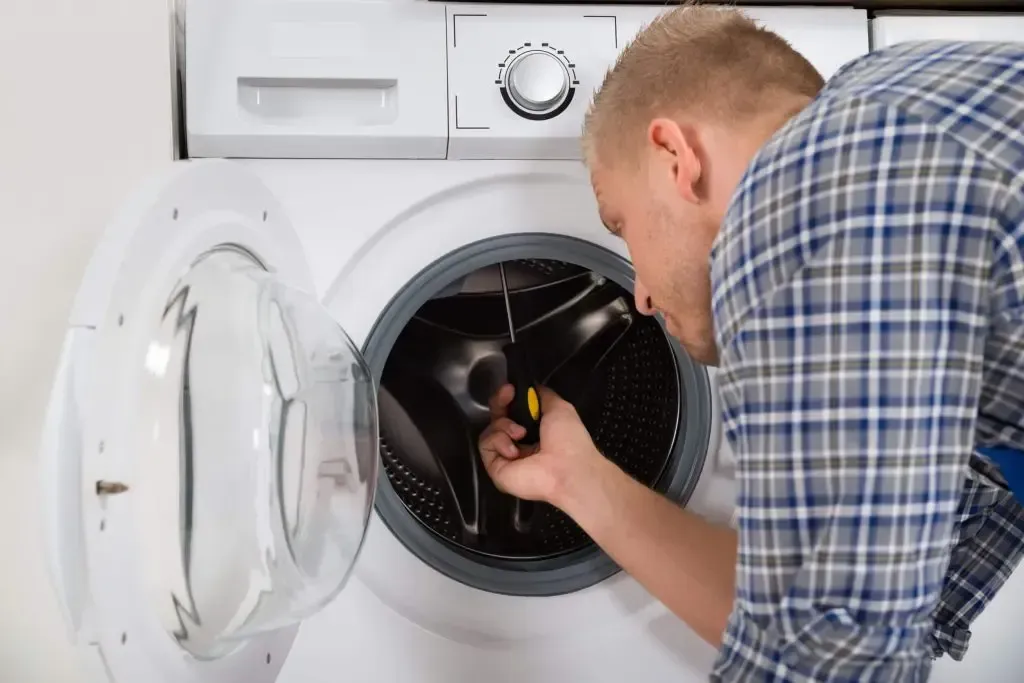
Samsung Washer SE Code: Causes and Updated Easy Fixes 2026
If your Samsung washer suddenly stops mid-cycle and displays the SE error code, you're not alone. This is one of the most common issues Samsung washing machine owners encounter—and it means your washer is struggling to drain water properly. Your washing machine acting up here is also a detailed guide on that.here is also a detailed guide on that.
This guide is for homeowners who need fast, clear solutions to fix their Samsung washer today Whether you're dealing with a full drum of water, a washer that won’t finish a cycle, or you've already tried restarting it with no luck, you're in the right place.
Ignoring the SE error on a Samsung washer can lead to bigger problems. Standing water inside the drum can cause mold, unpleasant odors, and even damage to the motor or control board. It’s also one of the early warning signs of a blocked drain system or a failing pump—both of which can escalate if not handled quickly. In the sections below, we’ll explain what the SE code means, what causes it, how to fix it step by step, and when to call a same-day repair technician to prevent further damage.
What Does SE Mean on a Samsung Washer?
If you’re asking, “What does SE mean on a Samsung washer?”, the short answer is: there’s a problem with the machine’s ability to drain water.
The SE error code is displayed when the washer's internal sensor detects that water isn't draining fast enough from the drum. The issue is often caused by a clogged drain filter, a kinked or blocked drain hose, or a malfunctioning drain pump.
Depending on your washer model, this code might appear as:
SE
5E
SC
1 5C
All of these versions point to the same root issue: the appliance can't drain water as expected. They’re interchangeable depending on the model’s display type but mean the same thing. It's also important to note that SE is not the same as E5. While they may look similar at a glance, E5 refers to a heating issue, not a drainage problem. Misreading the code could lead you down the wrong troubleshooting path, so be sure to double-check the display carefully.
When the SE code on a Samsung washer appears, the washer may stop working mid-cycle. The door may remain locked, and you may hear the pump running for longer than usual as it tries—and fails—to move the water out.
In the next section, we’ll break down the most common causes behind this error and how to identify which one you're dealing with.
What Causes the SE Error on Samsung Washers?
When the SE error (or 5E error) shows up on your Samsung washer, it means the machine is having trouble draining water. There are several possible causes behind the SE error Samsung washer owners commonly experience. Here’s a breakdown of what might be going wrong:
Clogged Drain Pump Filter
This is the most common reason for the Samsung washer SE code. The filter is designed to catch lint, coins, hair, and debris—but when it gets clogged, it can prevent the washer from draining properly.
Signs of a clogged filter:
Water left in the drum after the cycle ends
The pump sounds like it’s straining
Visible lint or dirt around the filter cap
Kinked or Blocked Drain Hose
The drain hose carries water out of the washer. If it’s bent, pinched, or blocked with residue, it can restrict water flow, triggering the SE error.
Look for:
Sharp bends or crimps in the hose
Mold or buildup inside the hose
Loose connections at the washer or drainpipe
Drain Pump Failure
The pump is what forces water out of the washer. If it malfunctions, either electrically or mechanically, your washer will struggle to drain and may flash the SE or 5E code.
Common symptoms:
Humming sound with no drainage
Water staying in drum no matter what
Burning smell or clicking noises
Control Board Misread
Less commonly, the control board could misinterpret the signals and trigger the SE error even when the components are functioning properly. This usually happens if there’s moisture on the control board or a software fault.
How Do I Fix the 5E Error on My Samsung Washer?
If you’ve searched “How do I fix the 5E error on my Samsung washer?”, you’re probably dealing with a machine that won’t drain, leaving water in the drum and halting the cycle. Fortunately, this is one of the more common Samsung washer errors — and one you can often fix yourself with the right steps. Here’s a safe, step-by-step guide to help you troubleshoot and clear the 5E or SE error code:
Step-by-Step Instructions:
Turn off and unplug the washer.
Always start by cutting the power. This isn’t just about protecting the machine — it’s a key safety step to protect you from electrical shock.
Open the pump filter cover.
On most Samsung washers, you’ll find this at the bottom front corner. You might need a flathead screwdriver to open the access panel.
Drain any standing water.
Inside the filter panel, you’ll see a small rubber emergency drain hose. Gently pull it out and remove the cap to drain the water into a shallow pan or bucket. Be prepared — several cups of water may come out.
Remove the drain pump filter.
Twist the filter cap counterclockwise and pull it out. It might be tight if it's never been cleaned before. Don’t force it — apply steady pressure.
Clean the filter thoroughly.
Use warm water and a soft brush to clean away lint, detergent residue, or any trapped debris. Take your time — small objects like coins, buttons, or hairpins often cause blockages.
Reinstall the filter and secure the hose.
Once clean, screw the filter back into place and close the emergency drain hose tightly. Tuck the hose back into the compartment and close the cover.
Plug in and test the washer.
Restore power to the washer and run a short rinse or spin cycle. If the water drains normally and the error code is gone, you’ve fixed the problem.
Safety Tips Before You Begin:
Always unplug the machine before performing any maintenance.
Place towels under the access panel to soak up any spills.
Wear gloves when cleaning the filter, especially if you're dealing with dirty water or debris.
If you’ve followed all of these steps and the 5E or SE code still appears, the next step is to inspect the drain hose — which we’ll walk through in the next section.
Let me know when you're ready for that part: How to Unblock Drain Hose on Samsung Washing Machine.
How to Unblock Drain Hose on Samsung Washing Machine
Many people asking how to fix the SE or 5E error are really trying to figure out how to unblock the drain hose on a Samsung washing machine. Here's how to do that safely and effectively.
Tools and Materials:
Screwdriver (if needed to detach hose)
Large bucket or towel
Long flexible brush or wire
White vinegar + warm water solution (optional)
Step-by-Step: Unblocking the Drain Hose
Unplug the washer and move it away from the wall for access.
Disconnect the drain hose from both the washer and the standpipe or drain.
Inspect the hose visually for any obvious clogs or bends.
Run warm water through the hose or use a long flexible brush to push out any blockages.
Soak the hose in vinegar-water if there’s mold or heavy buildup.
Reconnect the hose securely to both ends and test the machine.
Preventive Tips
Avoid pushing the washer too close to the wall, which can kink the hose.
Clean the hose every 6 months to avoid buildup.
Replace hoses older than five years, as they can become brittle and clogged more easily.
How to Fix SE Code on Samsung Dishwasher
It's common for people to confuse the SE error on a Samsung washer with the same code appearing on a Samsung dishwasher — but they mean very different things depending on the appliance.
Clearing the Confusion
On a Samsung washing machine, the SE or 5E error relates to drainage problems, often due to a clogged filter, blocked hose, or faulty drain pump.
On a Samsung dishwasher, however, the SE code typically indicates a motor or water circulation issue, not drainage. It usually points to a problem with the dishwasher’s water pump motor or sensor, meaning water isn’t circulating properly during the wash cycle.
Quick Fix for Dishwasher Users
If your Samsung dishwasher shows the SE error:
Turn off the dishwasher and unplug it.
Check the filter and spray arms for blockages.
Inspect the sump area for debris.
If the error persists, the motor or control board may need professional attention.
If you came here looking for washer-related fixes, skip back to the previous sections. If it’s your dishwasher giving you trouble, call a repair specialist to assess the motor.
When to Call a Professional: Same-Day Repair Help
Fixing the SE error on a Samsung washer yourself is often possible — but not always. There are clear signs that your issue goes beyond basic cleaning or filter maintenance.
When Cleaning Isn’t Enough
If you’ve cleaned the pump filter, unblocked the drain hose, and the error still appears, the problem may lie deeper within the system — like a failing drain pump, damaged wiring, or control board miscommunication.
Other red flags include:
The washer still won’t drain despite all troubleshooting.
You hear unusual grinding, humming, or clicking sounds during the drain cycle.
The washer powers off suddenly or doesn’t start a cycle at all.
You smell burning or see water leaking.
Electrical or Pump Issues
The drain pump in your washer has moving parts and electrical components that require careful testing. If the pump motor has failed or the board isn’t sending the correct signals, these issues typically require specialized tools and experience to repair safely.
Is Professional Repair Worth It?
Yes — especially when you compare the cost of repair versus the price of a new washer. A certified technician can:
Diagnose the problem accurately
Repair or replace parts without guesswork
Restore full performance without voiding your warranty
Instead of spending hours trying to troubleshoot advanced issues, calling for same-day repair saves you time, prevents further damage, and gets your laundry back on track fast.
Why Choose AP Pro for Samsung Washer Repair
At AP Pro, we don’t just do surface-level fixes — we solve the entire problem.
Many services only offer dryer vent cleaning, but that’s not enough. The same principle applies to washers. Drainage issues aren't always just in the hose or filter. Water can back up due to internal buildup around the drain pump, filter housing, or circulation system — areas most homeowners can’t reach.
What Makes AP Pro Different?
Dual Cleaning Approach: We handle both external drain issues and internal blockages, ensuring a complete fix that lasts.
Transparent Pricing: No surprise charges. You’ll know exactly what to expect before we start.
Same-Day Availability: We’re local, fully equipped, and ready to repair your Samsung washer today.
Certified Technicians: Our team is trained to work on all Samsung washer models and resolve SE, 5E, and other drainage-related error codes.
If your Samsung washer is still showing an SE or 5E error code, don’t wait for the problem to get worse.Book with AP Pro B and get fast, professional help.


