
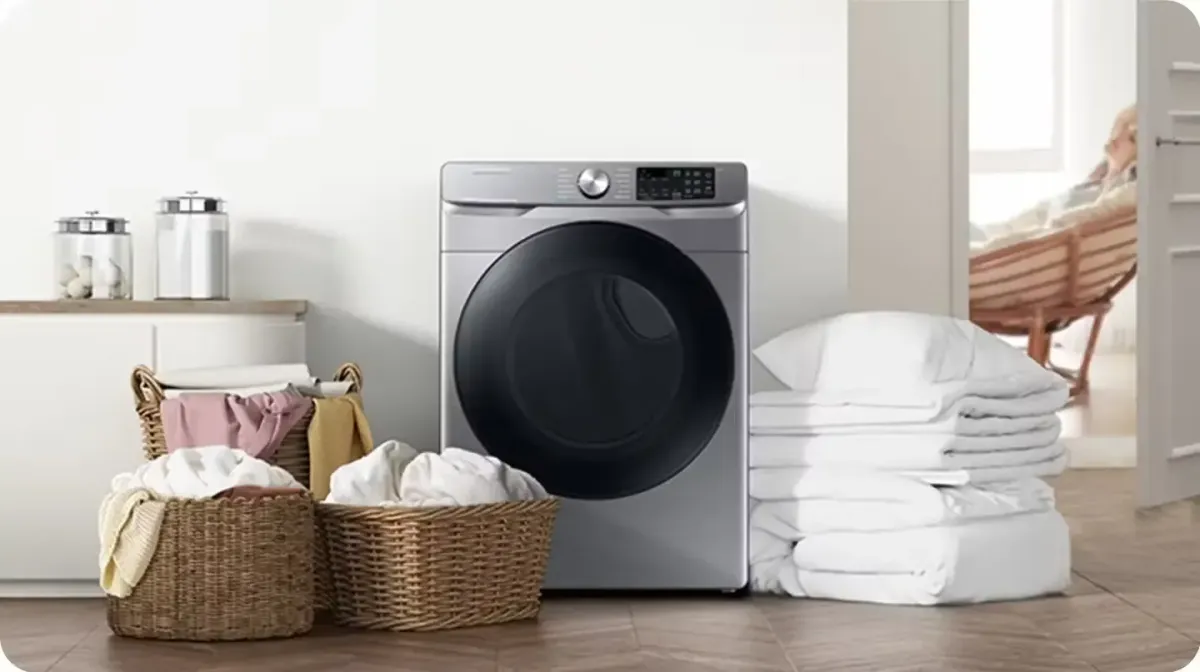
Understanding Samsung Dryer Error Codes and Updated Complete Fix Guide 2026
If your Samsung dryer is flashing an error code, you’re probably thinking, “Now what?” You’re not the only one. Dryers are great when they work, but when something goes off, the blinking lights and weird codes can leave you feeling stuck. That’s exactly why we wrote this guide at AP Pro Appliance Repair. We’ve seen it all when it comes to Samsung dryers—from simple door latch issues to confusing motor or heat problems. And because we know how important it is to keep your laundry routine on track, especially in busy homes around Fairfax, we’re proud to offer affordable appliance repair in Fairfax, VA. With same-day service, real answers, and fast solutions (no fluff or guesswork), we’re here to help you get things back to normal without the stress or the high costs.
This guide breaks down what those flashing lights and error codes really mean, using plain language and real advice. Whether your dryer won’t start, keeps stopping, or is throwing out strange codes like DC or 3C, we’re going to show you what’s causing the problem and how you can fix it—or when to call us to handle it quickly. And if you’ve got an LG dryer showing similar signs, don’t worry— we’ve write detailed guide for this and can help troubleshoot them just as fast. So, if your Samsung dryer’s acting up and you’re looking for answers that actually make sense, keep reading. Let’s get that dryer back in action.
Introduction to Keeping Your Samsung Dryer Working Great
Samsung dryers are known for their sleek design, smart features, and solid performance. But even great machines need some love and care to stay that way. Without regular upkeep, your dryer can start acting up—running too hot, not drying clothes properly, or giving you those annoying error codes.
The good news? Most of it can be avoided with just a little attention. Cleaning the lint filter after every load, checking and cleaning the vent once a year, not stuffing the dryer too full, and using the right settings can go a long way. These simple habits can help you avoid problems, save energy, and even make your home safer. In this guide, we’re breaking it all down step-by-step to help you get the most out of your Samsung dryer—no matter how long you’ve had it.
Diagnosing Your Samsung Dryer the Smart Way
Samsung dryers are pretty smart. They’ll usually try to tell you what’s wrong—if you know how to read the signs. Some models let you run a built-in test that checks things like the sensors, drum movement, and heat levels.
To try it:
Unplug the dryer for about 30 seconds.
Plug it back in.
On many models, press and hold two buttons (like “Wrinkle Prevent” and “Time Adjust”) to enter test mode.
Once you're in, the screen will show codes or blink lights that point to a specific issue.
This quick test can help narrow things down. Just make sure to keep track of what you see—and match it up with the error code list in this guide.
What the Blinking Lights Are Telling You
When your Samsung dryer starts flashing or blinking lights, it’s usually not random. Each light pattern means something:
If only one light is blinking, like the cycle light, it might just mean the door wasn’t shut tight.
If the time display flashes, your cycle might be paused, or there's a small power hiccup.
If everything on the panel starts blinking at once, that could point to a bigger electrical issue.
Often, the fix is easier than it seems. First, check that the door’s closed, the lint filter is clean, and the power cord is secure. Those simple steps solve a surprising number of problems.
What Goes Wrong Most Often
After hundreds of house calls, we’ve noticed a few problems come up again and again with Samsung dryers. The most common by far? A door that won’t close all the way. When that happens, your dryer won’t start, and you’ll usually see a DC code on the screen. It’s one of the easiest issues to fix, and we’ll explain exactly how in just a bit. But door problems aren’t the only thing we see. Other regular troublemakers include:
Heat issues — Your dryer either won’t heat up at all or it gets too hot and shuts itself off.
Endless drying cycles — It keeps running but the clothes are still damp. This could point to a blocked vent or a broken sensor.
Clogged vents — Lint builds up inside the exhaust system and causes poor airflow, which affects everything from drying time to safety.
These types of problems aren’t just annoying—they can be a real drain on your time and energy. Luckily, our team at AP Pro Appliance Repair handles these every day, especially around Fairfax. Most of the time, we can fix the issue in a single visit and get your laundry routine back on track.
Resetting the Heat Error (HE Code)
If your dryer shows an HE code, it’s trying to tell you there’s a heat problem. Maybe it’s too hot. Maybe it’s not heating at all.
Here’s what you do:
Turn off and unplug the dryer.
Wait a few minutes.
Plug it back in and turn it on.
Sometimes a simple reset clears it up. If not, check the basics: clean the lint filter, make sure the vent isn’t blocked, and check that the room isn’t freezing. If it’s still showing the code, the heating element or sensor might need replacing.
What Those Dryer Icons Actually Mean
Samsung dryers don’t use words—they use symbols. If you’ve ever looked at your control panel and wondered what those little pictures mean, here’s a quick guide:
A T-shirt symbol: Normal drying mode
A clock: Timed dry
A fan: Air fluff (no heat)
A lock icon: Child lock is turned on
Steam or iron: Wrinkle release
These symbols help you pick the right setting, but if they start flashing unexpectedly, it could mean an error or setting issue. That’s when it’s time to take a closer look—or refer back to this guide.
The Real Meanings Behind Samsung Dryer Error Codes
Now let’s break down the most common Samsung dryer error codes and what they mean in plain language.
DC, dC, or 1DC – Door Not Closed Right
Your dryer can’t start if it doesn’t think the door is fully shut. Check the latch and give it a good push. Clean around the door and try again.
3C Error Code – Motor Trouble
This could mean the drum isn’t spiWhat Those Dryer Icons Actually Mean
Samsung dryers don’t use words—they use symbols. If you’ve ever looked at your control panel and wondered what those little pictures mean, here’s a quick guide:
A T-shirt symbol: Normal drying mode
A clock: Timed dry
A fan: Air fluff (no heat)
A lock icon: Child lock is turned on
Steam or iron: Wrinkle release
These symbols help you pick the right setting, but if they start flashing unexpectedly, it could mean an error or setting issue. That’s when it’s time to take a closer look—or refer back to this guide
HE, HE1, HE2 – Heating Problems
Could be too hot, not hot enough, or a bad sensor. Clean the vent, reset the dryer, and make sure the room temperature is okay.
bE, bE2 – Button Stuck
Try pressing each button gently to free up a stuck one. Unplug the dryer and clean around the buttons.
tC, tS, tE – Sensor Trouble
Your dryer might be reading the wrong temperature. This usually means a thermistor (temperature sensor) is out of whack.
Clg, C8, C9 – Vent Blocked
This one’s all about airflow. Check the full vent line, not just the lint trap. A clog somewhere in the system could trigger this warning. We’ll go even deeper on these in the next sections to help you fix the problem step-by-step.
Samsung Dryer DC Code: What It Means and How to Fix It
Seeing the DC error code on your Samsung dryer? Don’t worry—it’s one of the more common issues and usually has a simple fix. The DC code means the dryer thinks the door isn’t properly closed or the latch isn’t locking securely. It’s a built-in safety feature to prevent the dryer from running when the door isn't fully shut. Here’s our step-by-step guide to help you fix it:
Check for Anything Blocking the Door
Start with the basics. Often, the door just isn’t closing all the way because something’s in the way.
Open the dryer door and look around the edges, latch area, and drum.
Items like socks, dryer sheets, or lint can easily get caught around the frame or gasket.
Wipe the door edge and rubber gasket with a damp cloth to remove any buildup.
Once it’s clean, close the door firmly—don’t just push it gently. You should feel it click into place. Still seeing the error? Move on to the next step.
Inspect the Latch and Door Hinges
If the latch isn’t clicking or the door feels loose, the dryer might not recognize that it’s shut.
Check the door latch and strike plate for any signs of damage or wear.
Gently press the latch—does it click? If not, it may be worn out.
Wiggle the door slightly. If it’s sagging or misaligned, you might need to tighten the hinges using a screwdriver.
If the latch is bent, cracked, or not catching properly, it’s best to replace it. Replacement latches are affordable and easy to install.
Try Resetting the Dryer
Sometimes, the error might just be a temporary glitch.
Unplug the dryer from the outlet (or switch off the circuit breaker).
Wait at least one minute.
Plug it back in and start a new cycle.
If the DC error doesn’t come back, it was likely a small communication issue in the system.
When It’s Time to Call a Professional
If you’ve tried all of the above and the DC code still appears, the problem might be deeper.
Possible causes include a faulty door switch, damaged wiring, or a malfunctioning control board.
These components require some technical skills and special tools to diagnose and fix.
For your safety, it’s best not to take apart the dryer unless you’re familiar with appliance repair.
If you're located in Fairfax, VA, reach out to AP Pro Appliance Repair for same-day service. Our experienced technicians can quickly diagnose the issue and get your dryer back up and running—fast.
One Last Thing Before You Call It Quits
Affordable Appliance Repair in Fairfax, VA
Samsung dryer error codes might look intimidating, but most of the time, they point to something simple—like a door that won’t close all the way, a vent that needs cleaning, or a quick reset. With a few basic checks, you can often clear the issue yourself and get your laundry back on track. But if the error won’t go away or you’re not sure what to do next, we’re here to help.
At AP Pro Appliance Repair, we handle Samsung dryer repairs very day for homeowners in Fairfax and nearby areas. From the common DC door error to tricky codes like 3C or HE, our local techs know what to look for and how to fix it—fast. We offer same-day service, honest advice, and affordable pricing, so you never have to stress over a broken appliance. Need help right now? Contact us today and let’s make those dryer issues a thing of the past.


