
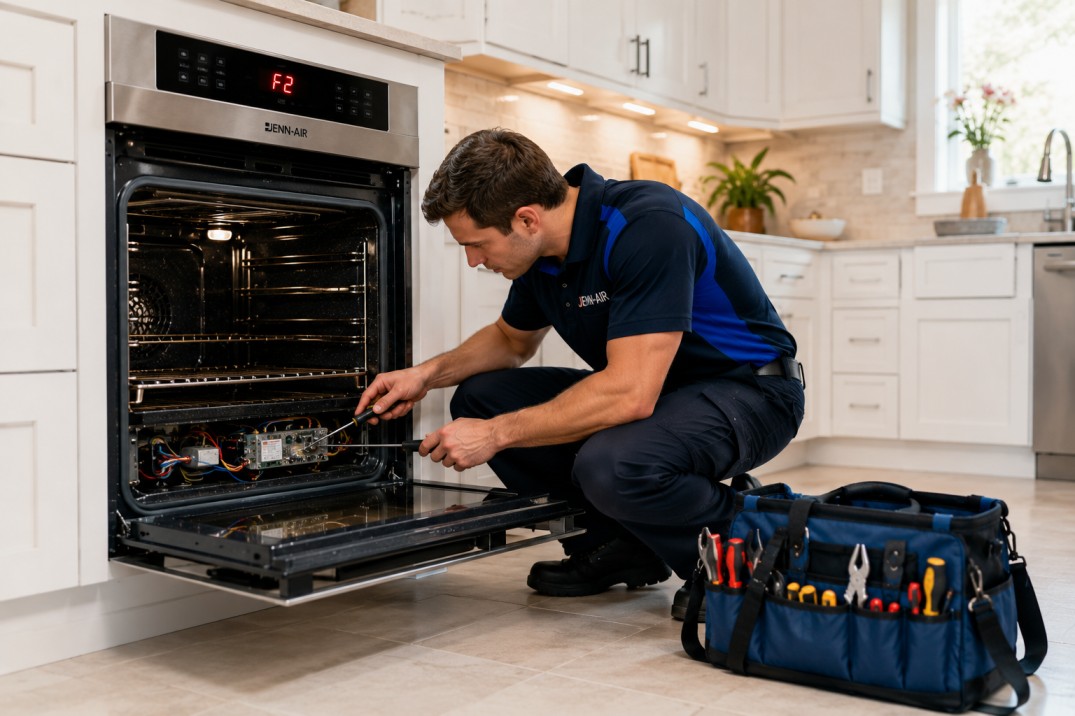
3 Easy Fixes for Jenn-Air Oven F2 Error Code: 2026 Guide Repair
If you love cooking at home or rely on a high-end kitchen, seeing an error on your Jenn-Air oven can be frustrating. One of the most common issues is the Jenn-Air oven F2 error code, which can stop your oven from working properly.
This article, from AP Pro Appliance Repair, explains what the Jenn-Air oven F2 error code means, why it happens, how to fix it, and how to stop it from happening again. If you use a luxury appliance or cook often, this guide will help you keep your oven in top shape.
What Does the Jenn-Air Oven F2 Error Code Mean?
The Jenn-Air oven F2 error code means the oven is getting too hot. This can happen for a few reasons.
Why Does the F2 Error Code Show Up?
Bad Temperature Sensor – If the sensor is broken, it can send the wrong temperature reading.
Control Board Issue – The control board might send incorrect signals to the oven.
Stuck Relay on the Control Board – This can make the oven keep heating when it shouldn’t.
Overheating from a Self-Clean Cycle – The self-clean mode uses high heat, which can sometimes cause the error.
Damaged Wiring – Worn or loose wiring can cause the oven to misread the temperature.
How to Fix the Jenn-Air Oven F2 Error Code
Try these steps before calling a repair technician.
Step 1: Reset the Oven
Turn off the oven and unplug it.
Wait about 10 minutes, then plug it back in.
Turn it on and check if the error is gone.
If the error is still there, go to the next step.
Step 2: Check the Temperature Sensor
The sensor is usually at the back of the oven.
Use a multimeter to check its resistance. A normal reading is about 1,080 ohms.
If the reading is far off, replace the sensor.
Step 3: Look at the Oven’s Wiring
Turn off the power to the oven.
Check the wires between the sensor and control board.
If any wires are burned, loose, or broken, replace them.
Step 4: Inspect the Control Board
If the previous steps don’t fix the error, the control board might be the problem.
Check the board for burn marks or damage.
If needed, replace the control board.
Step 5: Limit the Use of Self-Clean Mode
If the error happened after using self-clean mode, let the oven cool down.
Avoid using self-clean too often. The heat can damage parts of the oven.
Jenn-Air Wall Oven F2 E1 Error Code
If your oven shows the Jenn-Air wall oven F2 E1 error code, it usually means there’s a problem with the touchpad or control board.
How to Fix the F2E1 Error Code
Check if any buttons on the touchpad are stuck.
Unplug the oven, then reconnect the ribbon cable that links the touchpad to the control board.
If the error stays, replace the touchpad or control board.
Need help? AP Pro Appliance Repair provides same-day appliance repair in Virginia to get your oven working fast.
How to Prevent the F2 Error Code
Here’s how we recommend keeping your Jenn-Air oven in great condition. Regular care and attention can help extend its life and prevent issues like the F2 error code. By following these simple steps, you’ll ensure your oven stays in top shape for years to come. If you're experiencing issues with other oven brands
Clean and Check the Temperature Sensor
Dust and grease can build up on the sensor, making it less accurate. Gently clean it with a soft cloth to ensure it reads the right temperature.
Use Self-Clean Mode Sparingly
Self-cleaning can put a lot of stress on your oven. Try not to use it too often. If you do, make sure the oven is in a well-ventilated area to avoid overheating.
Monitor Cooking Temperatures
Avoid setting your oven temperature higher than needed for recipes. Higher temperatures can cause strain on the oven’s components, leading to problems down the line.
Get Regular Maintenance
Schedule a professional checkup at least once a year. A technician can catch small issues early, ensuring your oven stays in top working condition.
Replace Worn Parts Right Away
If you notice any parts looking worn or damaged, replace them quickly. Delaying repairs can cause further damage and more expensive fixes in the future.
When to Call a Repair Technician
If you’ve tried the steps above and the error won’t go away, it’s time to call a trusted appliance repair company in Virginia. You should seek professional help if:
The control board may need replacing (this can be tricky to do on your own).
The wiring could be damaged.
The F2 error keeps reappearing despite your efforts.
If you're facing any of these issues, AP Pro Appliance Repair provides expert, same-day service to get your Jenn-Air oven back up and running.
Final Thoughts
The Jenn-Air oven F2 error code indicates that the oven is getting too hot or something isn’t working correctly. While some issues can be fixed with simple steps, more complex problems may require professional help. Regular care and prompt fixes are key to keeping your oven working smoothly.
If you need appliance repair in Virginia, Contact us for same-day service from experienced technicians.


